Question: How do the two cameras work on the Connect SmartHome 4G Dual Camera?
Answer:
Model reference: CSH-4GDLN-667
Applies to: CSH-4GDLN-667
If your SKU differs, search our support page by your Model SKU to find the correct article.
The Connect SmartHome 4G Dual Camera with Solar Panel uses two cameras for different purposes.
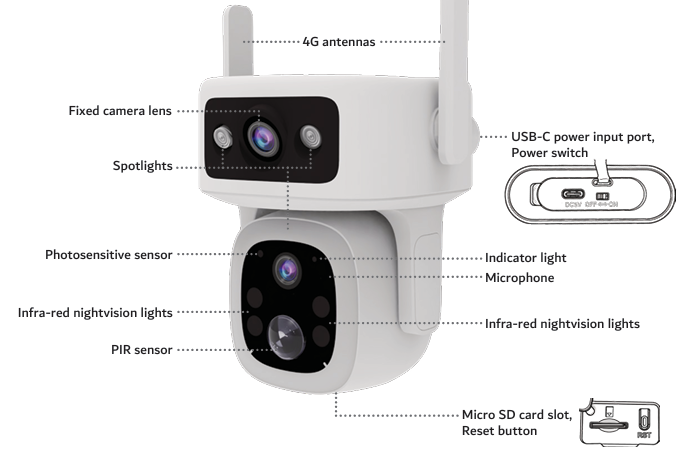
Fixed upper camera:
- has a fixed viewing direction
- helps detect motion events
- provides the upper camera view in the app
- does not pan or tilt
Lower PTZ camera:
- can pan up to 350 degrees
- can tilt up to 90 degrees
- can be moved manually through the app
- is used for viewing and following movement
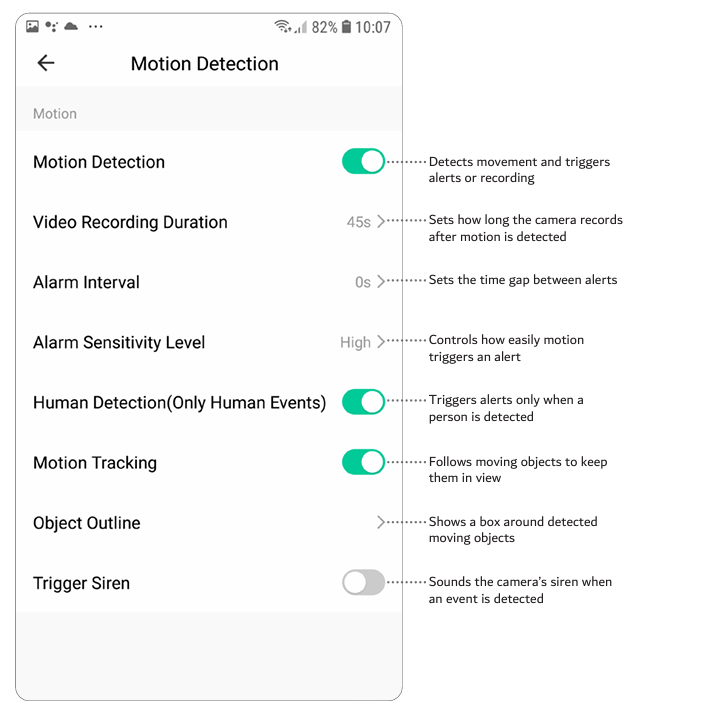
- supports motion tracking
- does not trigger motion events by itself
You can manually point the PTZ camera in the direction you want. That position becomes its default resting position.
When motion tracking is turned on, the available pan and tilt range may be reduced while the camera follows movement.
Was this article helpful?
That’s Great!
Thank you for your feedback
Sorry! We couldn't be helpful
Thank you for your feedback
Feedback sent
We appreciate your effort and will try to fix the article